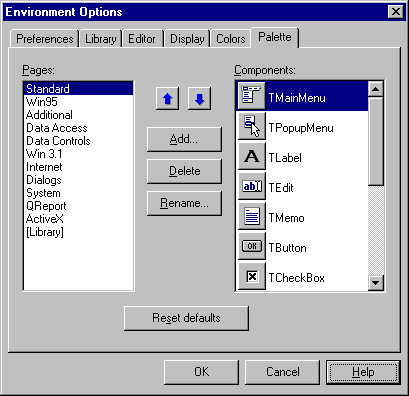
The Borland C++Builder Component palette is a toolbox of powerful classes. It's similar to the compiled function libraries of yesteryear, but with the advantage that you can manipulate each class visually. After you've had a chance to discover how valuable the components are, you'll want to roll your own. In many cases, your components will be extensions to existing ones; in other cases, you'll implement entirely new functionality. In all cases, implementing a component is surprisingly simple, once you know what goes on behind the scenes. In this article, we'll give you a peek.
In its simplest usage, a property is another name for a class member. The value assigned to the member at design time (through the Object Inspector or otherwise) is stored in the form file by default:
 protected:
   AnsiString FFileName;
 __published:
   __property AnsiString FileName =
      {read = FFileName, write=FFileName };
This code allows you to set the value of FFileName through the Object Inspector at design time. The
value is then saved in the form file. At runtime, the VCL loads the value back into FFileName after
construction. If you don't want the value to be persistent, you can disable storage by adding
stored=false, as follows:__property AnsiString FileName = {read =
FFileName, write=FFileName, stored=false };
Components in the real world need to offer quite a few options to maintain flexibility. They often have
long lists of properties with usable default values. Storing all this information in the form file wastes
space, and reading it back takes time--which is not desirable, considering that in most cases, few of the
defaults change.
To minimize the volume of data in the form file, you can specify a default value for each property. Note that doing so doesn't set the default value--the constructor is responsible for doing that. When writing to the form file, the form editor skips any properties whose values haven't been changed:
 __property AnsiString FileName = {read =
   FFileName, write=FFileName,
   default="MyFile.txt", stored=true };
The __property mechanism also allows you to specify getter and setter member functions to be called
instead of directly accessing member data. For simple properties, the Get function takes no arguments,
but returns a value of the property's type. The Set function takes an argument of the property's type, but
returns no value. You usually use these functions to check for invalid data, as in this example code:int FMy123;
void SetMy123(int x) { if (x >=1 and x <=3)
FMy123=x; } // else do nothing...
int GetMy123(void) { return FMy123; };
__property int My123 = { read=GetMy123,
write=SetMy123 };
However, you can also use them for more complex operations, such as database lookups and updates.Events and __closureGenerally, components are designed to support a concept without actually handling all the details. For example, C++Builder's System Timer component is designed to call an event at a specified interval. The concept behind the design is that some task must be performed on a regular basis--the component doesn't know or care what the task is. To handle this situation, the component contains a pointer to the code to be executed: the event handler. At design time, you code a new handler and set the pointer. At runtime, the component checks the pointer. If it's null, the component does something sensible--in most cases, it ignores the event. If the pointer isn't null, the component calls the handler.
In C or ANSI C++, you'd normally use a function pointer for this purpose. But in C++Builder, doing so would cause problems, because most event handlers are methods in an instance of a form class. To call them, a pointer must be passed to the form object as a hidden parameter to the method--something a function pointer can't do. To get around this problem, C++Builder introduces pointers of type __closure. These objects contain two pointers: one that points to the class object, and another that points to the method being called. In all other respects, __closure pointers are the same as function pointers.
You'll want to follow a few conventions regarding closures--they aren't enforced, but respecting them is a good idea. First, use a typedef for each event you want to support in your component; the name you use should start with a T and end with the word Event. Next, declare a private or protected member whose name starts with the letter F. Finally, if you want to control access to this member or if you want to publish it in the Object Inspector, create a property whose name starts with On. For example, consider these lines:
 typedef void __fastcall
   (__closure *TMyUpdateEvent)( TObject *Sender);
 ...
 TMyUpdateEvent FMyUpdate; // user proc. to
                           // override default
                           // update behavior
 ...
 __property TMyUpdateEvent OnMyUpdate =
   { read=FMyUpdate, write=FMyUpdate };
You can set a closure to point to a member function in the code or through the Object Inspector. As
with any pointer to a function, you should test it before calling it, like this:if ( FMyUpdate ) // if not null FMyUpdate(this); // then call it
When C++Builder opens a Component palette, it calls a registration function, Register(), for each component.
Register() calls RegisterComponents() to actually install the component in the IDE. If the directory from which the component was loaded includes a resource (RES) file that has the same name as the component file and that contains a 24-bit square icon, then RegisterComponents() uses that icon to represent the component in the palette. Otherwise, it uses a default icon.
The Register() function can also install new property editors for the Object Inspector and component editors for the form editor. Component editors are listed in a component's speed menu. Usually, they're forms that help the programmer configure the component.
Note that all the registration functions have the same name: Register(). You differentiate among them by the namespace in which they're defined, which must have the same name as the header file for the component. For example, if the header file is MyHeader.H, the namespace must be MyHeader.
The Object Inspector also uses type information to determine the correct property editor to use. Default editors are available for a variety of types, and you can register any new editors as needed.
// do nothing if this instance is being
// edited on a form
if (ComponentState.Contains(csDesigning)) return;