


|
Product Information MSP430x11x Product Information  Device List/Description and Peripheral Overview Development Tools
Technical Information |

The integrated Simulation Environment (which contains the Software Simulator with integrated editor and debugger) allows a very comfortable development of the program code with breakpoints and several run-modes. This MS-Windows™ based simulation environment allows you to get familiar with the MSP430 quickly and easily. The source windows allow editing and debugging of your code, along with some breakpoint logic. Several locations in the memory area, e.g. the system stack, can be displayed independently. This downloadable Simulation package contains also the Assembler which can be used from the same workbench. If you want to include your own LCD display, the LCD designer assists you to simulate this module. This page allows you to download the MSP430's simulator software, as well as its User's Guide, and a text file including use advices and warnings.
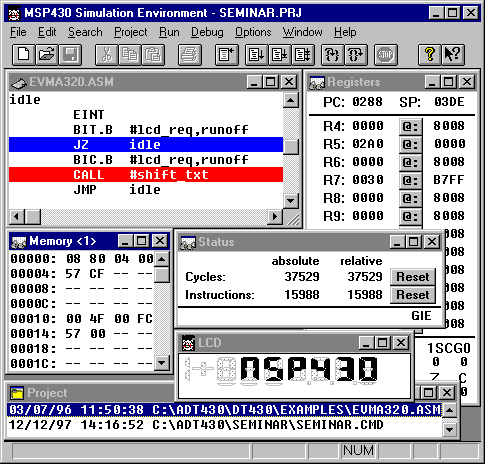
The snapshot below is a good overview of a standard simulation environment display. The following windows are shown, but many others can be opened too: * Deassembly window * Register window * LCD window * Memory window * * Status window * Project window *
Return to the MSP430 "Development Tools" Page
|

